A look at the parts of GlassDe.sk you will use every day. These screens show made-up sample data.
Cutting optimiser
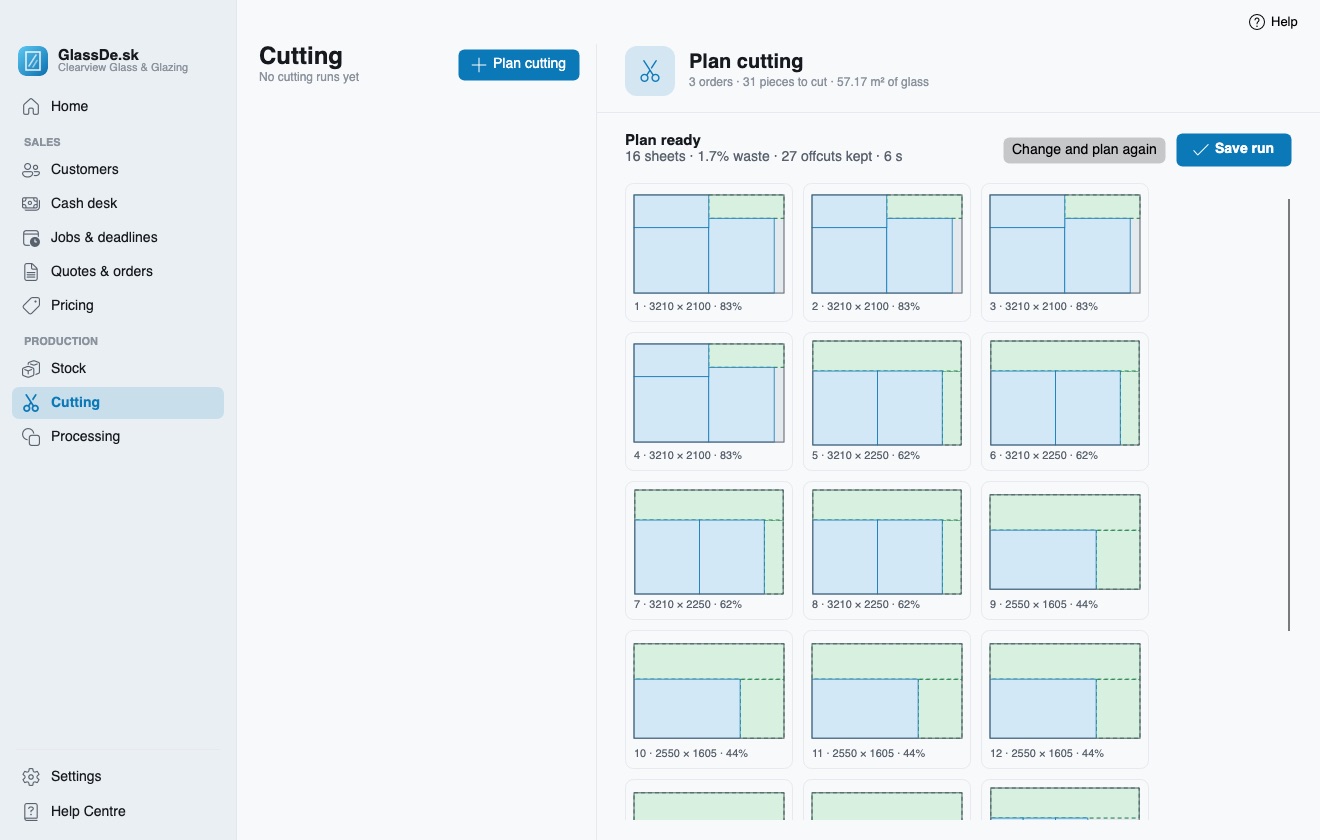
Give it the sizes you need and the sheets you have. It plans the cuts to leave as little waste as possible, cuts spare glass off first and keeps the useful offcuts. This plan covers 31 pieces on 16 sheets with 1.7% waste.
Cutting station
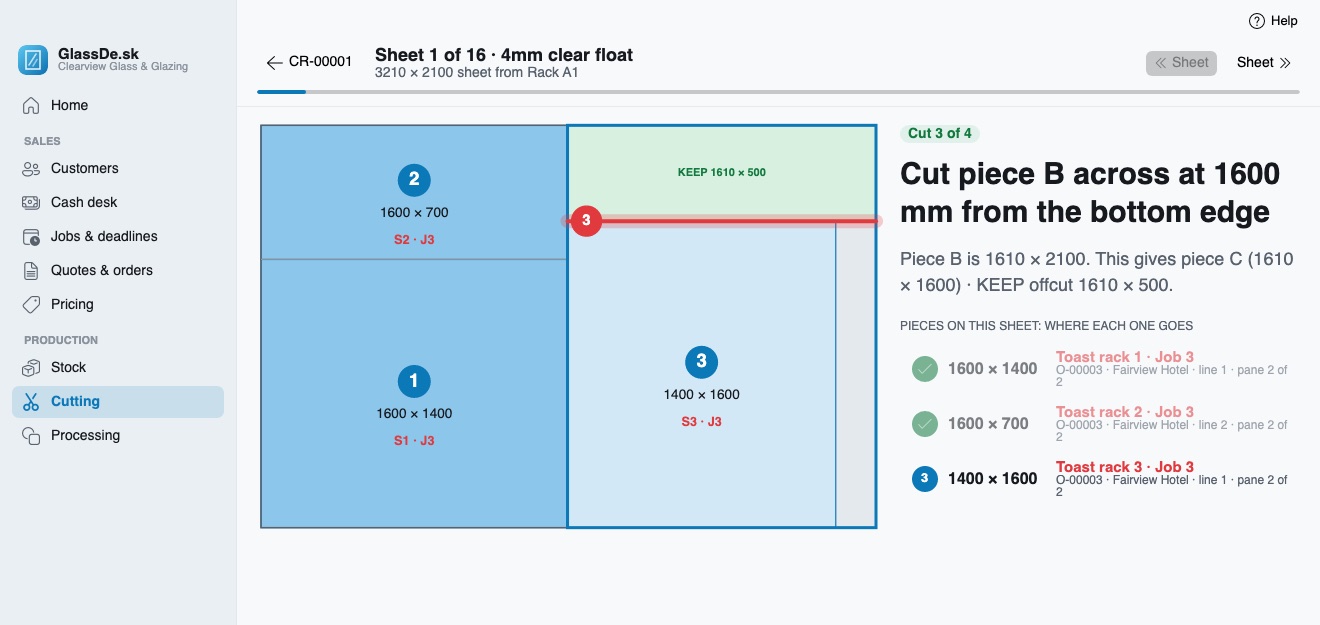
One step at a time, on a printed sheet or on a screen: get the sheet, make the cut, and see where each piece goes. A piece waits on the toast rack for its partner, then the pair moves to the final rack.
Stock
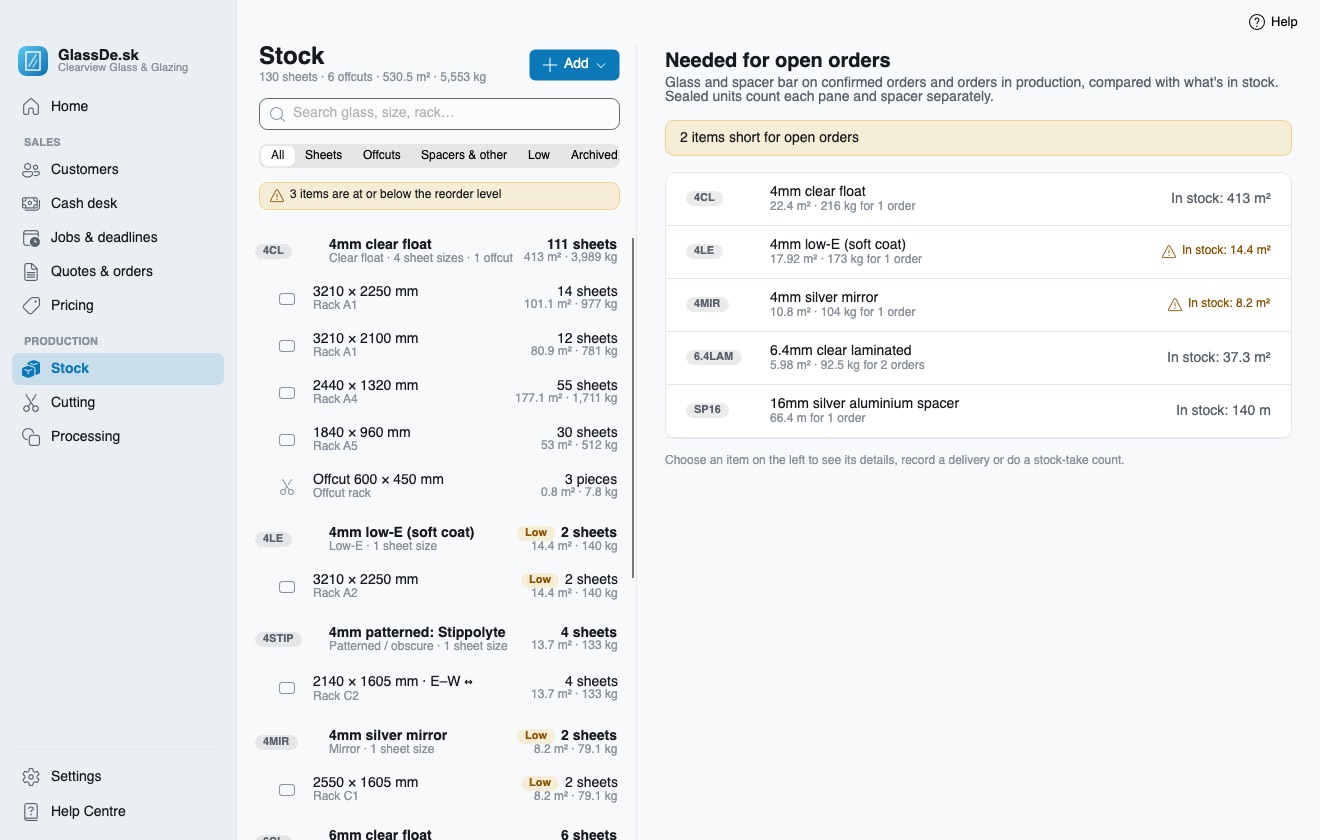
Sheets, offcuts and spacer bar by glass type and thickness, with area and weight, reorder levels, and a warning when open orders need more than you have.
Processing
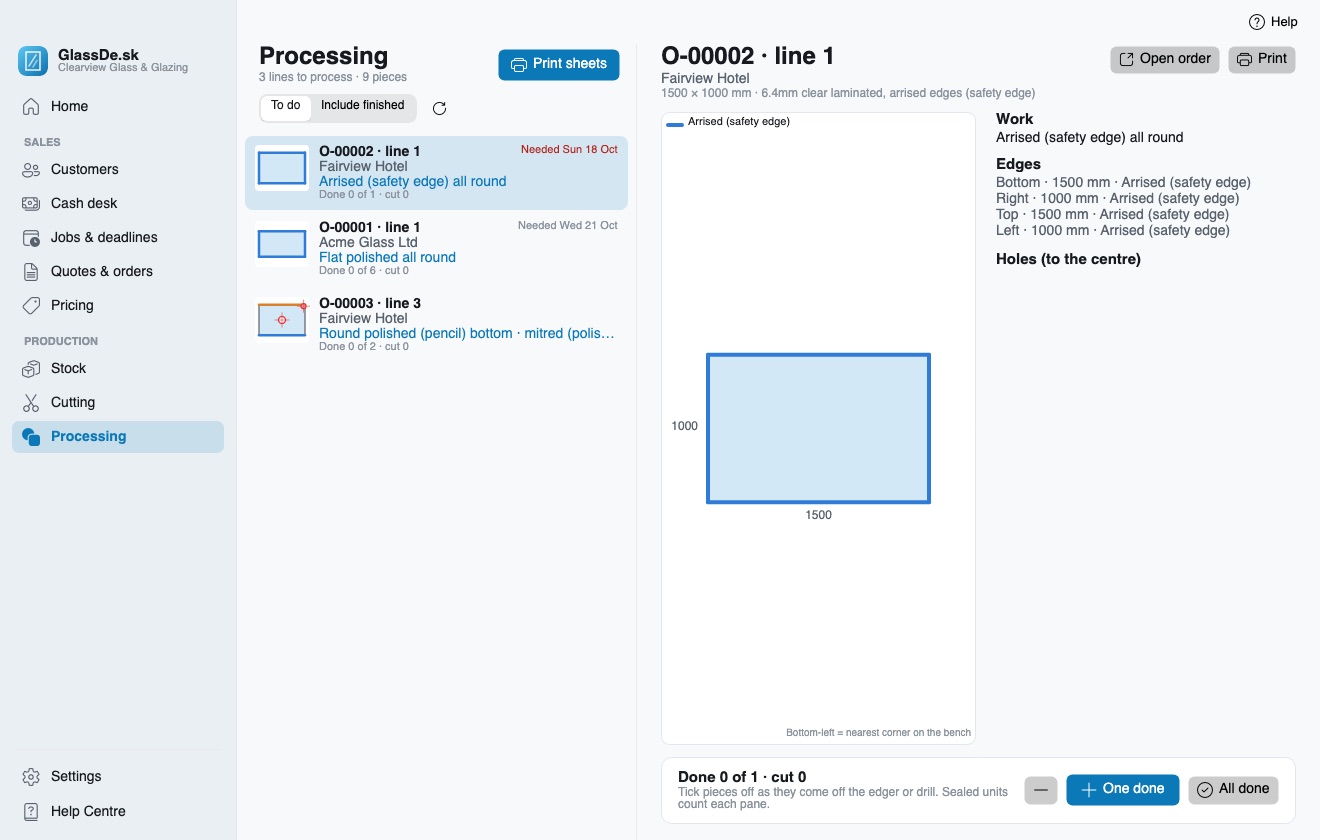
Edge work, holes and shapes for every piece, with a drawing, so whoever is at the edger or the drill knows exactly what to do.
Home screen
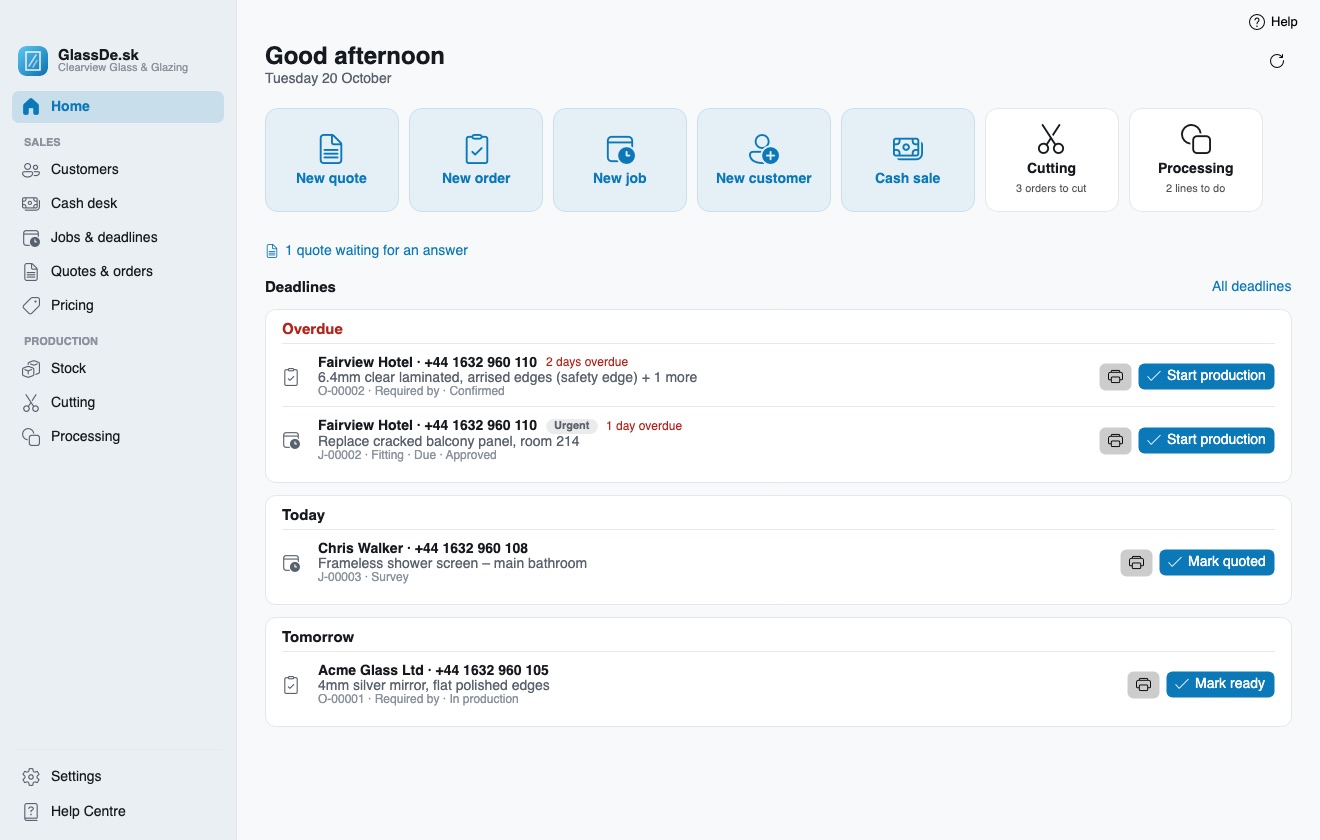
Everything to hand when it starts: New quote, New order, New job, New customer and Cash sale, with what is due today and tomorrow underneath.
Cutting list in any browser
The cutter follows the cutting list in a web browser, so a tablet, a phone, a Mac, a PC or a Linux computer all work, with nothing to install. On your shop network, scan a QR code once and it opens. It shows the jobs waiting, each sheet drawn big as it lies on the bench, the cuts in order, and where every piece goes. On the last sheet, Job complete records the run, takes the glass off stock and keeps the offcuts.
Several computers
One computer keeps the data, and Macs and PCs connect to it over your shop network. They find it automatically, and everyone works on the same customers, orders, jobs and stock. If two people edit the same record, the second is warned, so nothing is overwritten. Everything between the computers is encrypted.
Access levels
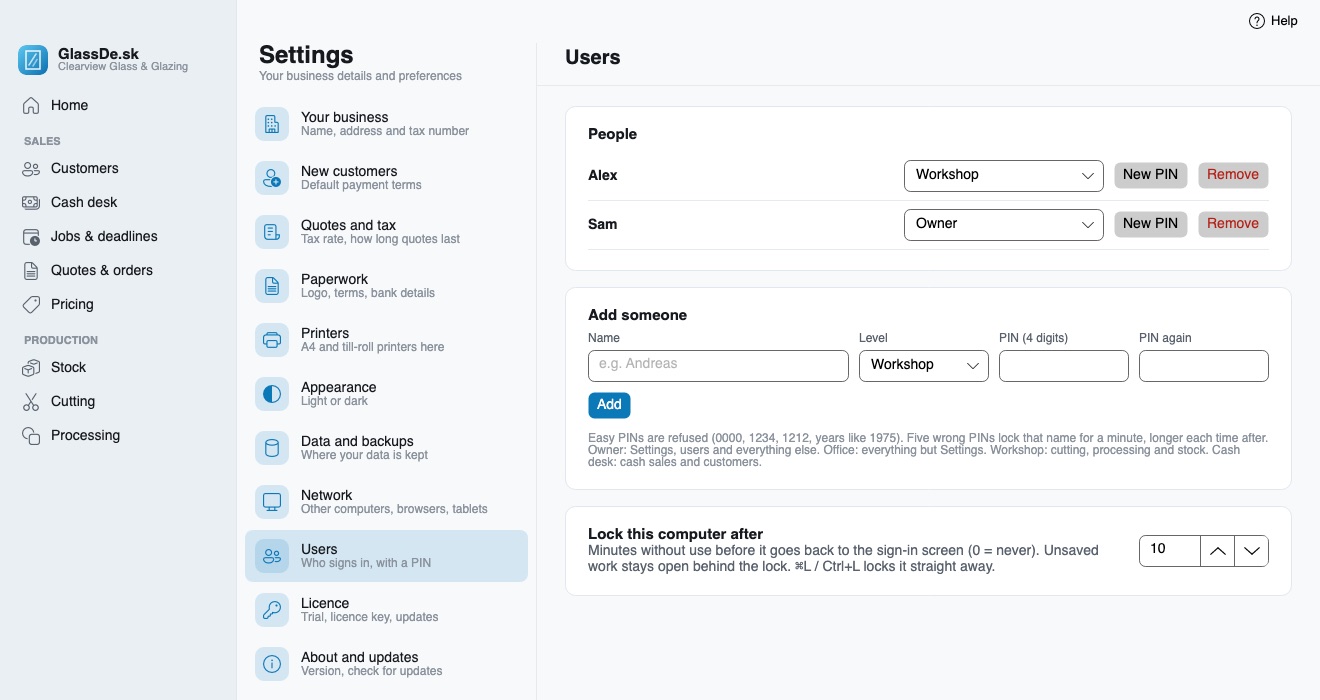
Switch on users and everyone signs in with their name and a PIN. There are four levels: Owner, Office, Workshop and Cash desk. Each person only sees the screens they need. The workshop never sees prices, and the cash desk sees only cash sales and customers. It locks itself when nobody is using it.
Download GlassDe.sk for macOS or Windows and try everything free for 30 days.